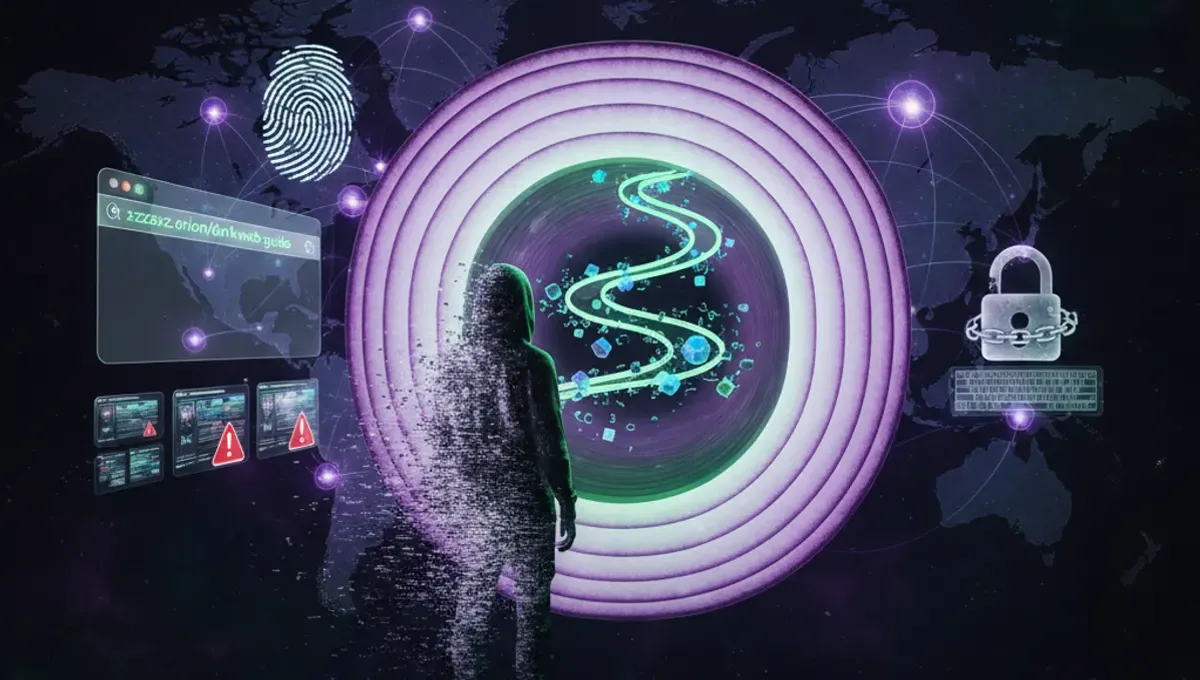
What Is the Dark Web and Why Access It
The dark web is a portion of the internet accessible only through specialized software, most commonly Tor Browser. Unlike the surface web you use daily, dark web sites use .onion domain extensions and require intentional navigation to reach. Legitimate reasons for access include journalists protecting sources, activists in oppressive regimes, privacy advocates, and researchers studying internet security. However, the dark web also hosts illegal marketplaces and content. Understanding the distinction between capability and legality is essential before proceeding. Many people access the dark web out of curiosity, but doing so without proper security measures exposes you to malware, scams, and law enforcement scrutiny.
Download and Install Tor Browser
Start by visiting the official Tor Project website and downloading Tor Browser for your operating system. Windows, macOS, and Linux versions are available. Avoid downloading from third-party sources, as malicious versions exist. Once downloaded, run the installer and follow the setup prompts. Tor Browser is essentially Firefox configured with privacy extensions and routed through the Tor network. Installation takes only a few minutes. After completion, launch the browser and wait for it to establish a connection to the Tor network. You'll see a status indicator showing when the connection is active. Never modify Tor Browser's default settings unless you have specific technical knowledge, as changes can compromise your anonymity.
How to Access the Dark Web on iPhone
Accessing the dark web on iPhone requires using Onion Browser, an app available on the Apple App Store. Download and install it, then open the app to connect to the Tor network. The process is similar to desktop access but with mobile limitations. Onion Browser routes your traffic through Tor, allowing you to visit .onion sites. However, iPhone access is less secure than desktop alternatives because Apple's restrictions limit what privacy tools can do. Additionally, many dark web sites are designed for desktop browsers and may not display properly on mobile. If you must use iPhone, ensure your device is updated with the latest iOS version and consider using a VPN in addition to Onion Browser for extra protection.
Using Tor Browser for Dark Web Access
Once Tor Browser connects, you can navigate to dark web sites by entering .onion addresses in the address bar. These addresses are long, random strings of characters that look nothing like regular URLs. You cannot find dark web sites through standard search engines. Instead, you'll need directories or links from trusted sources. Tor Browser functions like regular Firefox but with built-in privacy protections. It automatically clears cookies and browsing history when closed. Never maximize your browser window, as this can reveal your screen resolution to websites, potentially compromising anonymity. Disable plugins and extensions unless absolutely necessary. Loading times on dark web sites are typically slower than regular internet sites due to the multiple routing layers.
Essential Safety Precautions
Before accessing the dark web, establish a security baseline. Use a dedicated device or virtual machine if possible to isolate dark web activity from your main computer. Enable your firewall and keep all software updated. Consider using a VPN before connecting to Tor for additional anonymity, though this adds complexity. Never download files unless absolutely necessary, and scan anything you do download with antivirus software. Disable JavaScript in Tor Browser settings to prevent certain attacks. Never maximize your browser window or adjust display settings. Avoid visiting multiple sites in a single session, as this increases exposure. Never enable plugins like Flash or Java. Use strong, unique passwords for any accounts you create. Assume that many sites contain malware or are law enforcement honeypots.
Gaining Access to the Dark Web Safely
How to gain access to the dark web safely requires understanding that anonymity is not guaranteed. Law enforcement agencies operate on the dark web, and many users have been identified despite precautions. Never assume complete protection. Use a combination of tools: Tor Browser for routing, a VPN for additional encryption, and potentially a virtual machine for isolation. Keep your operating system and all software fully patched. Use strong passwords and consider using a password manager. Never share personal information, even anonymously. Avoid clicking suspicious links or downloading unexpected files. If you're accessing the dark web for legitimate purposes like research or privacy, document your intentions. Be aware that simply accessing the dark web isn't illegal in most countries, but many activities on it are.
Legal and Ethical Considerations
Accessing the dark web itself is legal in most countries, but many activities conducted there are not. Purchasing illegal goods, accessing stolen data, or viewing illegal content carries serious criminal penalties. Law enforcement agencies worldwide actively monitor dark web activity and have successfully prosecuted users. Your ISP can see that you're using Tor, which may raise flags depending on your location. Some countries restrict or ban Tor usage entirely. Before accessing the dark web, understand the laws in your jurisdiction. Consider your threat model and whether the risks justify your reasons for access. If you're a journalist, activist, or researcher with legitimate needs, consult with legal experts first. Remember that anonymity tools don't make illegal activity legal, and they don't prevent law enforcement investigation.
Frequently asked questions
Is it illegal to access the dark web?
Accessing the dark web itself is legal in most countries, including the United States. However, many activities conducted on the dark web are illegal, such as purchasing drugs or stolen data. Law enforcement monitors dark web activity, and users have been prosecuted for illegal conduct. Your location and specific activities determine legality.
Can I be traced on the dark web?
While Tor provides strong anonymity, it's not foolproof. Law enforcement has successfully identified dark web users through various methods, including malware, operational security mistakes, and correlation attacks. Using additional security measures like VPNs and virtual machines increases protection but doesn't guarantee complete anonymity.
What is Tor Browser and how does it work?
Tor Browser is a modified version of Firefox that routes your internet connection through multiple encrypted servers worldwide. This layered routing makes it difficult to trace your activity back to your IP address. Tor Browser is the primary tool for accessing .onion sites on the dark web.
Are there legitimate reasons to access the dark web?
Yes, legitimate uses include journalists protecting sources, activists in censored countries accessing information, privacy advocates researching security, and individuals in oppressive regimes communicating freely. However, most casual users access the dark web out of curiosity rather than necessity.
What should I avoid doing on the dark web?
Avoid downloading files unless necessary, clicking suspicious links, maximizing your browser window, enabling plugins, sharing personal information, and visiting multiple sites in one session. Never assume complete anonymity or engage in illegal activities. Assume many sites contain malware or are law enforcement operations.